
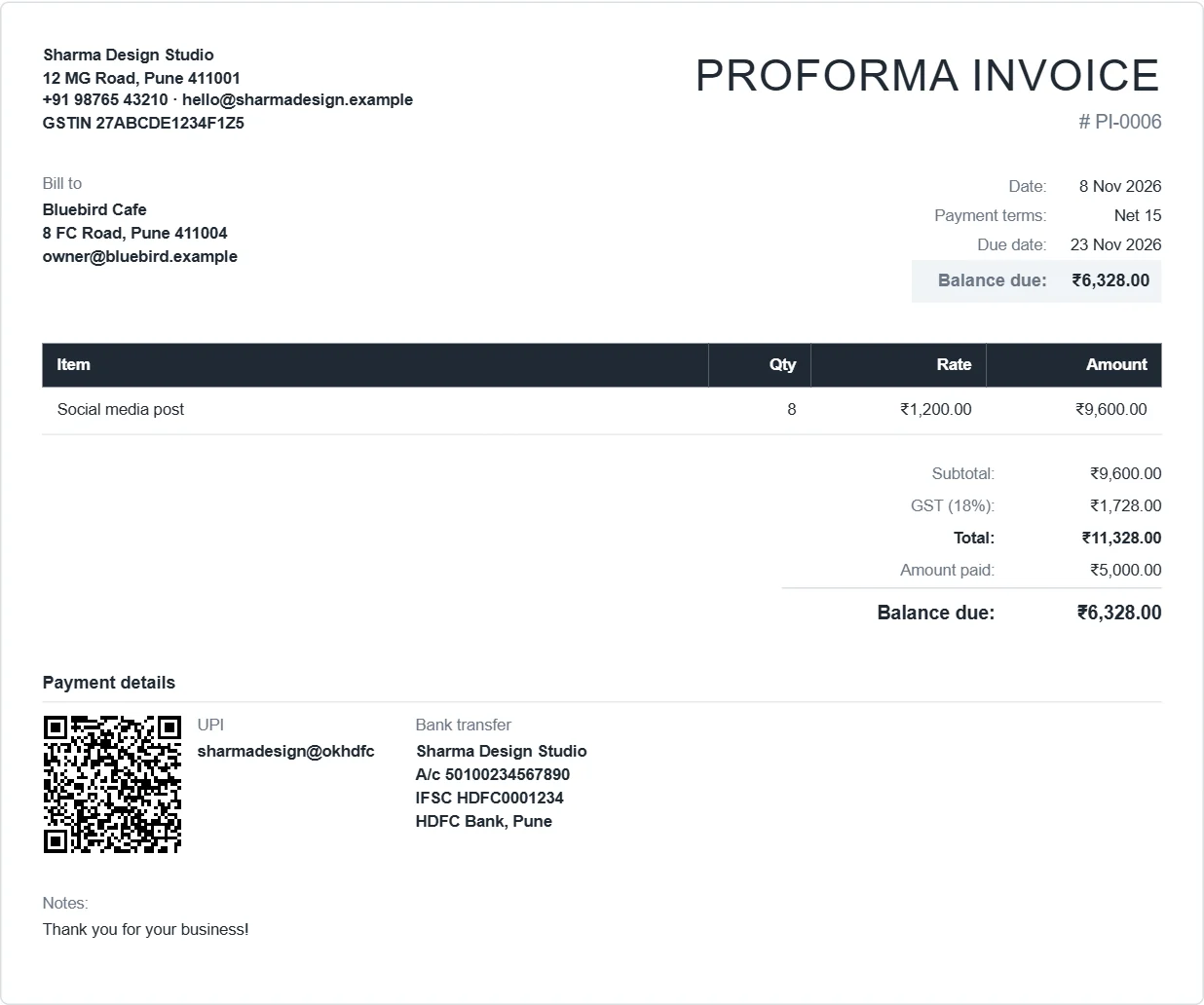
What a proforma invoice is for
A proforma invoice is a preliminary bill. It tells the customer exactly what they will be charged, so they can approve the order, arrange an advance payment, open a letter of credit or get an import licence. It is not a demand for payment, and it does not count as a tax invoice, so the customer can't claim input tax credit on it.
When the goods ship or the service is done, you issue the real tax invoice. Our guide on proforma vs tax invoice goes through the differences.
How to make a proforma invoice
- Open the app and click New invoice.
- Change the title to PROFORMA INVOICE.
- Type your own number, such as
PI-0006, so proformas do not use up your tax invoice numbers. - Add the customer, the items, tax and any shipping. Add a line in Terms such as "Valid for 15 days. 50% advance to confirm the order."
- Tick the payment methods for the advance and click Download PDF.
Turning it into the final invoice
Open the proforma and click Duplicate. Change the title back to INVOICE or TAX INVOICE, give it the next invoice number, and record any advance you received as a payment. The balance due then shows what's left.