
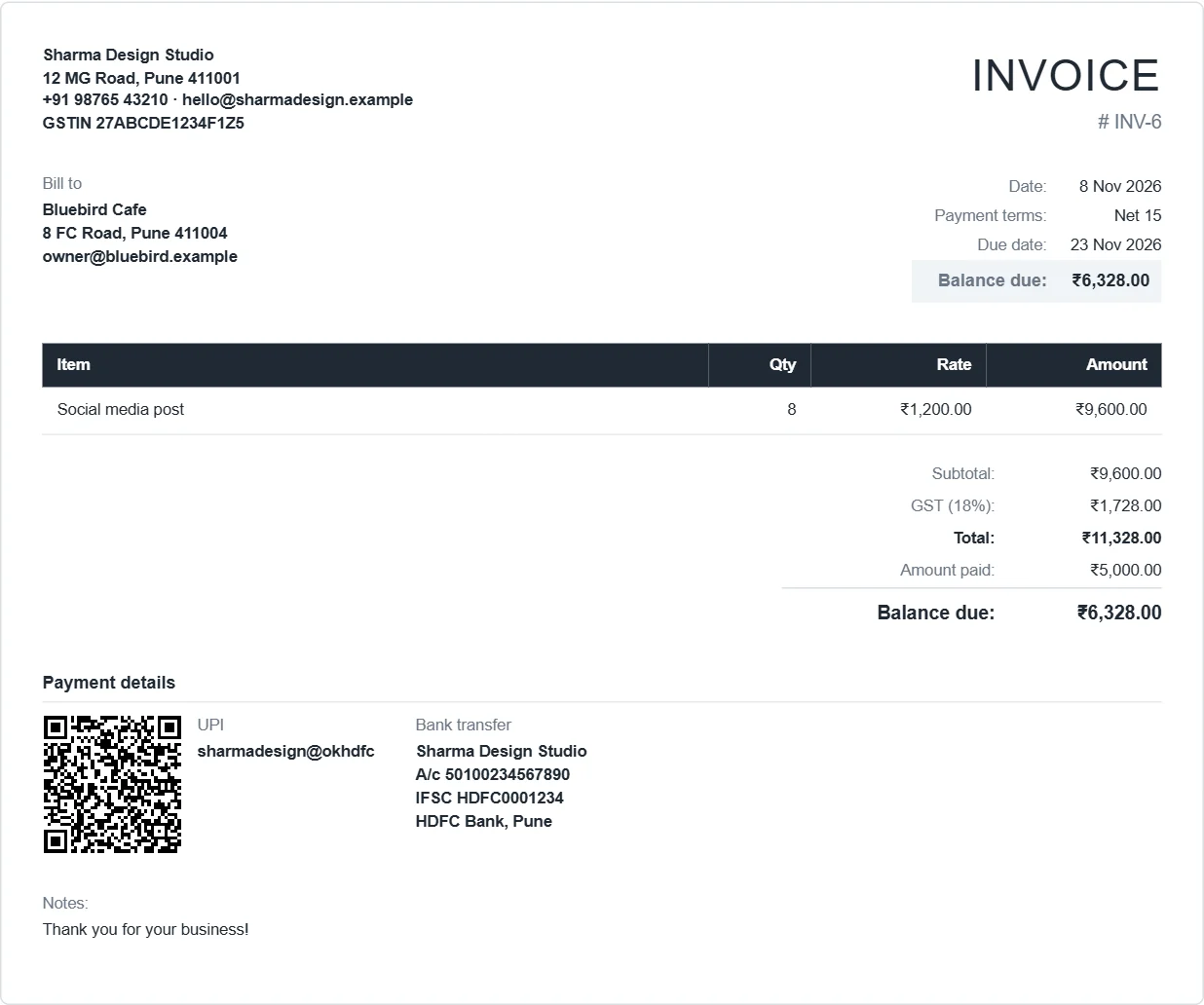
What's in the template
- Your logo, business name, address and tax number at the top
- An editable title: Invoice, Tax Invoice, Proforma Invoice, Receipt, Quotation
- Invoice number, date, payment terms, due date and PO number
- Bill to and Ship to
- Line items with quantity, rate and amount
- Subtotal, discount, tax (GST, VAT or sales tax), shipping, total and balance due
- Payment details: UPI QR code, bank account, Zelle, PayPal or a payment link
- Notes and terms
How to use it
- Open the template. Choose Load sample data to see a filled-in example first, or start blank.
- Fill in the fields. Totals and tax work themselves out.
- Click Download PDF. It is A4 or Letter, ready to email or print.
Your details are saved in your browser, so the next invoice starts with your business already filled in and the next number ready.
Looking for a Word, Excel or Google Docs template?
We don't offer a .docx or .xlsx file. An online template saves the steps that go wrong in a document: copying last month's file, changing the number, fixing the formulas. You can still get your data into a spreadsheet, because every list exports to CSV, which opens in Excel and Google Sheets. Our guide compares templates and generators.