
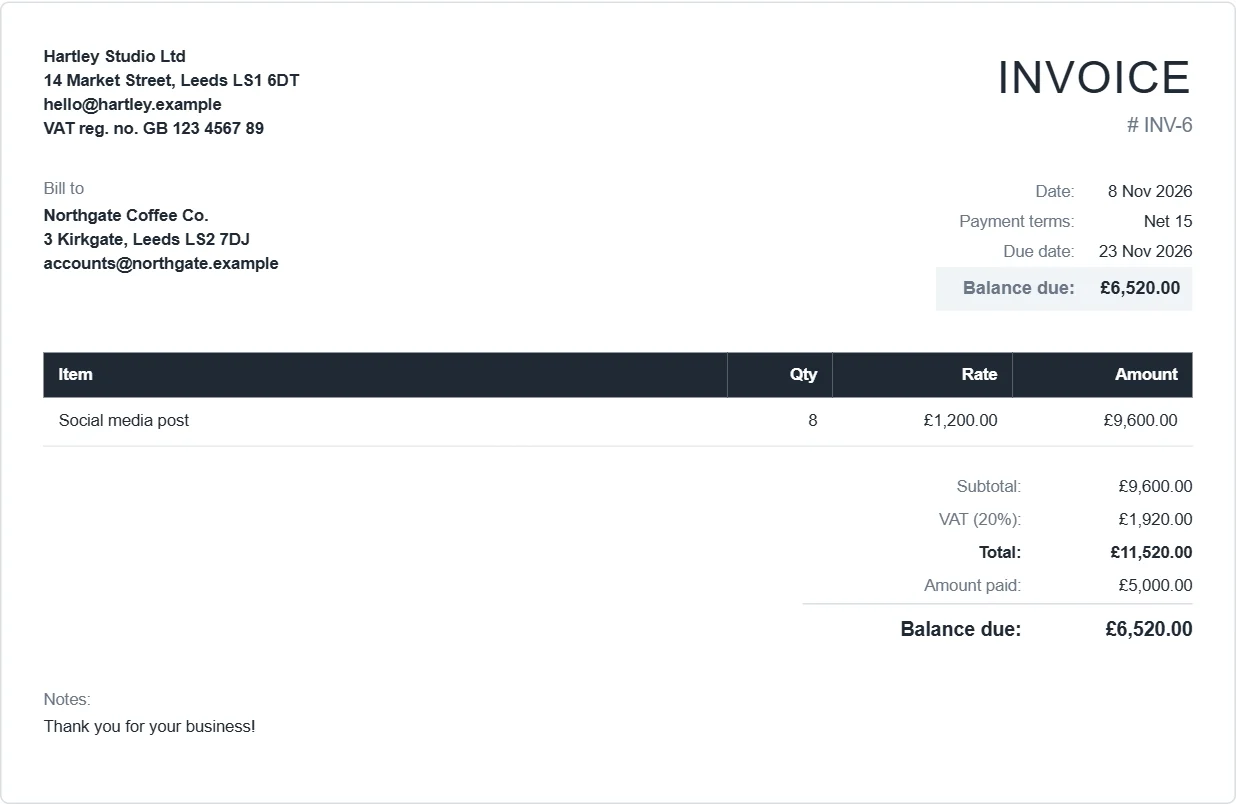
How to make a UK invoice
- Open the app. In Settings, set the currency to GBP, paper to A4, and the tax name to VAT at 20% (or leave tax empty if you are not VAT-registered).
- Put your business name and address in the From box. If you are VAT-registered, add your VAT registration number (for example
VAT reg. no. GB 123 4567 89). Limited companies often add their company number too. - Click New invoice, add your customer and each line: description, quantity and unit price.
- Add your bank details (account name, sort code and account number) under Payment methods, so they print on the invoice.
- Click Download PDF and email it to your customer.
Not VAT-registered?
Then you must not charge VAT or show a VAT number. Leave the tax box unticked. Your invoice still needs a unique number, your name and address, the customer's name and address, a description of what you supplied, the date and the amount. Sole traders and freelancers below the VAT threshold usually invoice this way.
VAT-registered
A full VAT invoice needs more: your VAT number, the time of supply if it differs from the invoice date, the VAT rate, the total before VAT and the total VAT. Our guide on UK VAT invoice requirements lists them all.
What it does not do
- One VAT rate per invoice. If you sell items at 20% and 5% on the same invoice, split them into two invoices.
- No Making Tax Digital submissions. Export your invoices to CSV for your accounting software or accountant.